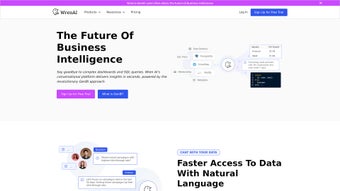

Download WrenAI – Secure AI Data Assistant for No‑SQL Insights
Overview of WrenAI
WrenAI is a cloud‑based AI data assistant that connects large language models (LLMs) directly to your existing relational databases, data warehouses, and analytics platforms. The service is built for modern enterprises that need to democratize data access without compromising security or governance. By extracting only the essential metadata—such as schema definitions, column names, and query intent—WrenAI translates natural‑language questions into optimized SQL, executes the query, and returns the result together with a detailed, step‑by‑step explanation of how the answer was derived.
This “explainable AI” approach gives data teams confidence in the accuracy of the insights while keeping raw data rows safely behind the firewall. WrenAI also includes a self‑learning feedback loop: every user correction or confirmation is logged, analyzed, and used to fine‑tune the underlying model during nightly training cycles. The result is a continuously improving assistant that adapts to the specific terminology, synonyms, and compliance requirements of your organization.
Whether you are a seasoned data engineer, a product manager, or a senior executive, WrenAI removes the need to write complex SQL, accelerates decision‑making, and frees up valuable engineering resources for higher‑impact work.
Key Features, Benefits, and What to Consider
- No‑SQL Natural‑Language Querying: Ask questions in plain English and receive instant answers without writing SQL.
- Explainable AI: Each response includes the generated SQL, reasoning steps, and confidence scores.
- Self‑Learning Feedback Loop: User corrections are incorporated into nightly model retraining, improving accuracy over time.
- Secure Metadata Transmission: Only schema and intent are sent; raw data never leaves your environment. All traffic is TLS 1.3 encrypted and metadata at rest uses AES‑256.
- Broad Integration: Native connectors for PostgreSQL, MySQL, SQL Server, Oracle, Snowflake, BigQuery, Redshift, Azure Synapse, and popular BI tools such as Tableau and Power BI.
- Collaboration & Role‑Based Access: Share queries, results, and explanations across teams while controlling who can edit connections.
- Versioned Knowledge Base: Track schema changes and maintain consistent answers even as your data model evolves.
- Custom Prompting: Adjust the LLM’s tone and depth to match corporate language and compliance standards.
Benefits for Your Organization
By removing the barrier of SQL, WrenAI reduces the time analysts spend on data preparation by an estimated 40‑60 %. The explainable AI layer builds trust with stakeholders, making it easier to audit decisions and satisfy regulatory requirements. Teams report higher adoption of data‑driven processes because non‑technical users can ask questions directly, fostering a culture of self‑service analytics. The continuous learning mechanism means that the assistant becomes more accurate the longer it is used, turning early adopters into power users without additional training costs.
Pros
- Eliminates the need for SQL expertise, speeding up data exploration.
- Transparent reasoning boosts confidence and auditability.
- Self‑learning loop continuously refines answer quality.
- Enterprise‑grade security meets GDPR, HIPAA, and SOC 2 standards.
- Wide database and BI tool compatibility reduces integration effort.
- Collaboration features enable cross‑functional insight sharing.
Cons
- Subscription pricing may be prohibitive for very small startups.
- Initial schema sync can take 10‑20 minutes for extremely large warehouses.
- Complex custom SQL constructs (e.g., recursive CTEs) sometimes need manual tweaking.
- Mobile apps are still in beta and lack full offline capabilities.
Installation, Setup, and Daily Usage Guide
Getting Started with a Cloud Service
WrenAI is delivered as a SaaS platform, so there is no software to install on local machines. To begin, visit wrenai.com, create an account, and choose the subscription tier that aligns with your data volume and user count. After email verification, the onboarding wizard walks you through connecting your data sources. Supported connection methods include JDBC/ODBC strings for on‑premise and cloud databases, native APIs for data warehouses, and OAuth for BI tools. You can connect up to three data sources during the free trial, and additional sources are added as needed.
Metadata Extraction and Secure Sync
Once a connection is defined, WrenAI automatically extracts schema metadata—tables, columns, data types, foreign‑key relationships, and view definitions. This extraction runs in a secure sandbox and stores the metadata in an encrypted vault that only the AI layer can read. You may choose to sync the entire catalog or limit the scope to specific schemas, which helps reduce initial sync time for massive warehouses. Typical sync durations range from five to fifteen minutes for mid‑size environments, with larger environments scaling linearly.
Using the Conversational Interface
The primary user interface is a chat‑style window accessible from any modern browser. To query, simply type a question such as “What was the total revenue for the North America region in Q4 2023?” The LLM interprets the intent, generates optimized SQL, runs the query against the connected database, and returns both the result set and an “Explanation” pane. The pane shows the exact SQL, a breakdown of the reasoning steps, and a confidence score (0‑100 %). If the answer is unsatisfactory, you can edit the SQL directly or provide natural‑language feedback (“Include returned items in the calculation”). The system records this interaction and feeds it back into the learning loop.
Advanced Capabilities for Power Users
Power users can create “Prompt Templates” for recurring analytical patterns, set up “Alert Rules” that trigger email or Slack notifications when thresholds are breached, and export results to CSV, Excel, or directly into Tableau dashboards. An API is also available for developers who want to embed WrenAI’s capabilities into internal portals or custom applications. All actions are logged for audit purposes, and role‑based permissions ensure that only authorized personnel can create or modify templates and alerts.
Compatibility, Security, FAQ, and Final Thoughts
As a web‑based SaaS solution, WrenAI runs on any modern browser—including Chrome, Edge, Firefox, and Safari—on Windows, macOS, Linux, Android, and iOS devices. The backend supports PostgreSQL, MySQL, Microsoft SQL Server, Oracle, Snowflake, Google BigQuery, Amazon Redshift, Azure Synapse, and any JDBC‑compatible source. Mobile apps for iOS and Android are currently in beta, offering on‑the‑go query capabilities with the same security guarantees as the desktop experience.
Security Highlights
WrenAI’s security model is built around the principle of least privilege. Only schema metadata and query intent are transmitted over TLS 1.3, while raw data rows remain behind your firewalls. All stored metadata is encrypted at rest using AES‑256, and access is governed by role‑based controls. For on‑premise databases, connections can be routed through a VPN or SSH tunnel, ensuring that no inbound ports are opened on the client network. Audit logs capture every query, modification, and feedback event, supporting compliance with GDPR, HIPAA, and SOC 2 requirements.
Frequently Asked Questions
How does WrenAI keep my data secure?
Only metadata such as schema definitions and query intent are sent to the cloud; raw data rows never leave your environment. All traffic uses TLS 1.3, and metadata at rest is encrypted with AES‑256. Role‑based access controls further restrict who can view or edit connections.
Can I connect WrenAI to on‑premise databases?
Yes. WrenAI supports secure VPN or SSH tunneling for on‑premise systems. The connection details are entered in the setup wizard, and the service accesses the database through the encrypted tunnel without exposing it to the public internet.
What if the AI generates an incorrect SQL query?
Each response shows the generated SQL and a confidence score. You can edit the SQL directly or provide feedback (e.g., “Use fiscal year instead of calendar year”). The correction is logged and used to improve future responses.
Is there a free trial available?
WrenAI offers a 14‑day free trial with full access to core features and up to three connected data sources. No credit card is required to start the trial.
How does the self‑learning feedback loop work?
When users confirm or correct an answer, WrenAI logs the interaction, extracts new metadata such as synonyms or column usage patterns, and updates its internal model during nightly training cycles. This continuous improvement reduces misunderstandings over time.
Conclusion & Call to Action
WrenAI transforms complex data ecosystems into conversational knowledge hubs that are secure, explainable, and continuously improving. By eliminating the need for manual SQL, providing transparent reasoning, and learning from every user interaction, it empowers organizations to make faster, data‑driven decisions at scale. If you’re ready to free your analysts from repetitive query writing and give every team member the confidence to ask the right questions, sign up for the free trial today and experience a new era of AI‑augmented analytics.






